 Bolli Automation specializes in vision dispensing machines_factory direct


Bolli focuses on Vision Fluid
BOLI, FOCUS ON VISION‑BASED FLUID DISPENSING
Search All
BOLI, FOCUS ON VISION‑BASED FLUID DISPENSING
what route a dispensing machine takes, where it stops, how fast — together these are the "trajectory". For the same circle of glue, how the trajectory is generated can differ in efficiency by several times. Most dispensing equipment software provides more than one approach; choosing the right one saves a lot of debugging time.
The first isteaching: manually move the needle to each point, record them one by one, then connect them into a path.
The second isgraphic import: import the drawing files on hand (such as DXF, PLT) into the software, which directly converts the graphics into glue paths.
The third istemplate reuse: products of the same series have similar shapes; copy a program and change the coordinate offset to use it. The three are not mutually exclusive; in practice they are often mixed.
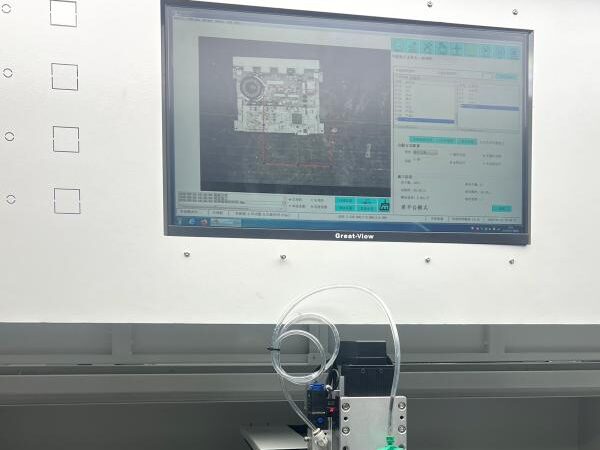
teachingsuitable for workpieces with few points and simple shapes, and the sample-testing stage — adjust while recording, the most intuitive.
graphic importSuitable for work with complex contours and many points, especially when you already have drawings on hand; directly converting to a path is much faster than clicking points one by one.
template reusesuitable for multi-variety small batches: similarly shaped products do not need to be taught from scratch, just change the offset. The specific extent of support depends on your equipment's software functions; you can ask directly when selecting.
Don't rush to apply glue; follow this sequence:First, dry runwithout dispensing, check whether the trajectory overtravels or might collide with the workpiece or fixture; thensingle-step or low-speedrun through once to confirm each point is correct; thentrial-run a few pieces, measure the position and glue volume; only thenincrease speed. For boards with height differences, set heights separately by point and by segment. Skipping steps in order increases the rework probability.
save the mature trajectory as a template, and reuse it for same-series products by changing the offset; programs correspond one-to-one with product models to avoid misadjustment; back up the tuned version promptly. Bolli machine models support multi-program storage, directly call when switching models, combined with template reuse, the changeover time can be pressed down a lot. Bolli provides unlimited remote after-sales and training; saving the mature trajectory as a template corresponding to the product model naturally presses down the changeover time. To avoid debugging detours, contact Bolli:13352947677。